The fastest way to overspend on a POS is to buy the hardware bundle. Vendors package tablets, stands, printers and drawers at healthy markups — or lease them to you for three years. This guide covers what POS hardware you genuinely need, what’s optional, and what to avoid entirely.
Key takeaways
- Modern POS runs on devices you already own — don't buy proprietary terminals.
- Essential: a device, a thermal ESC/POS receipt printer, and a payment terminal.
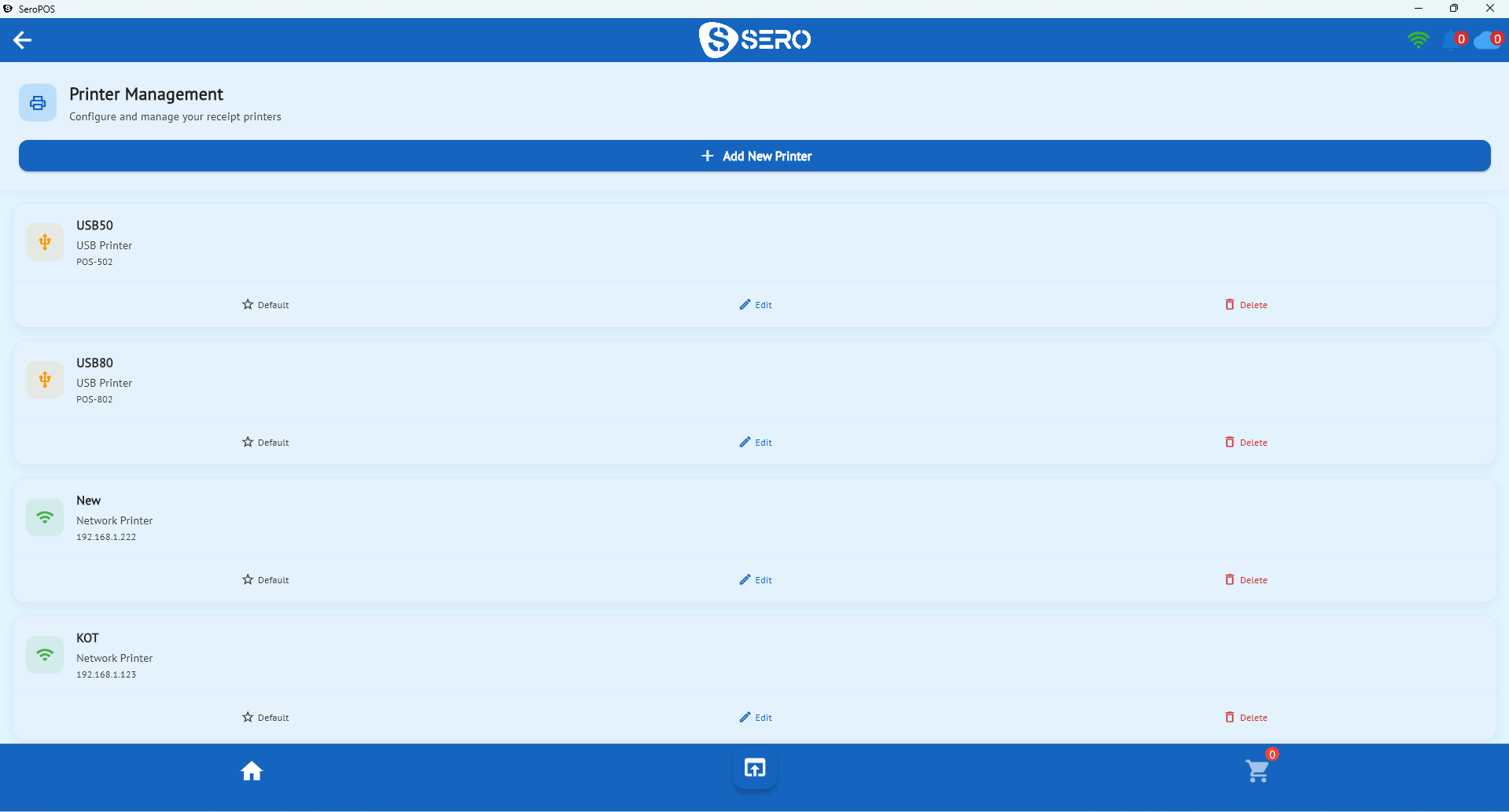
- Use network printers in the kitchen, USB at the counter.
- Buy hardware outright; never lease on a multi-year term.
- A lean single-till setup costs roughly $300–$900 if you already have a tablet.
The essentials
1. A device to run the POS
iPad, Android tablet, Windows PC, or Mac. SeroPOS runs natively on all four, which means the cheapest correct answer is usually “the one you already own.” Considerations:
- Screen size: 10” minimum for a main till; smaller is fine for a handheld.
- Battery: if it’s mobile, battery health matters more than raw speed.
- Replaceability: buy something you can replace tomorrow at a local shop.
2. Receipt printer
Get a thermal ESC/POS printer, 80 mm. These are a commodity — Epson and Star are the reference brands, and many compatible models cost less.
| Connection | Best for | Notes |
|---|---|---|
| USB | Counter till | Simple, no network dependency |
| Ethernet | Kitchen, multi-till | Most reliable; multiple devices can print to it |
| Bluetooth | Mobile/pop-up | Convenient, occasional pairing hassles |
| Wi-Fi | Flexible placement | Depends on your Wi-Fi quality |
SeroPOS auto-detects supported printers, which removes most of the traditional setup pain.
3. Payment terminal
Usually supplied by your payment processor. The critical requirement is integration: the terminal should receive the amount from your POS rather than having staff key it in. See payment processing for why this matters at close.
The conditionals
Kitchen printer — any food business sending tickets to a kitchen. Use Ethernet, and place it where heat and steam won’t reach it. Or replace it with a kitchen display system.
Cash drawer — if you take cash. Printer-driven models open via the receipt printer, which is the simplest wiring.
Barcode scanner — retail with more than ~50 SKUs. A basic USB 1D scanner ($30–$60) covers most shops; 2D scanners read QR codes and phone screens (barcode setup guide).
Label printer — retail that prices its own goods, or any business doing shelf labels.
Customer-facing display — nice for transparency and tips at busy counters; genuinely optional.
Handheld device — table service where taking orders tableside saves trips.
What to skip
- Proprietary all-in-one terminals that only run one vendor’s software
- Hardware leases — three-year terms that cost multiples of the equipment
- Vendor-branded printers at 2–3× the price of an equivalent ESC/POS model
- Bundles that include a scanner you’ll never plug in
- The cheapest possible thermal printer — this is the one place where bargain hunting reliably backfires
Sample budgets
Small café / takeaway counter
| Item | Cost |
|---|---|
| Tablet (owned) | $0 |
| Receipt printer (USB) | $180 |
| Cash drawer | $110 |
| Total | ~$290 |
Restaurant with kitchen
| Item | Cost |
|---|---|
| Tablet or PC (owned) | $0 |
| Counter receipt printer | $200 |
| Kitchen printer (Ethernet) | $260 |
| Cash drawer | $130 |
| Total | ~$590 |
Retail shop
| Item | Cost |
|---|---|
| PC or tablet (owned) | $0 |
| Receipt printer | $200 |
| Barcode scanner | $60 |
| Label printer | $220 |
| Cash drawer | $130 |
| Total | ~$610 |
Compare those against a typical vendor bundle at $1,500–$3,000, or a lease at $89/month for 36 months ($3,204).
Reliability habits
- Keep a spare printer if you’re single-till and busy — it’s the component most likely to fail mid-service.
- Buy a roll of paper you can source locally, not an unusual width.
- Wire the kitchen printer rather than trusting Wi-Fi through a wall of stainless steel.
- Put the till on a UPS if your power flickers.
- Test your fallback — know how to take orders on paper for twenty minutes without panicking.
The bottom line
Hardware should be cheap, standard, and replaceable. The software should be what’s worth paying for — and even that shouldn’t be much: SeroPOS is $30–$50/month on the devices you already have. See pricing, or download it and test your existing printer during the 14-day free trial.