

The point of sale built for the rush.
SeroPOS runs the counter, the kitchen and the shop floor on the iPad, Android tablet, Windows PC or Mac you already own, and keeps selling when the internet drops.
14-day free trial · No credit card · No contracts · iPad, Android, Windows, Mac
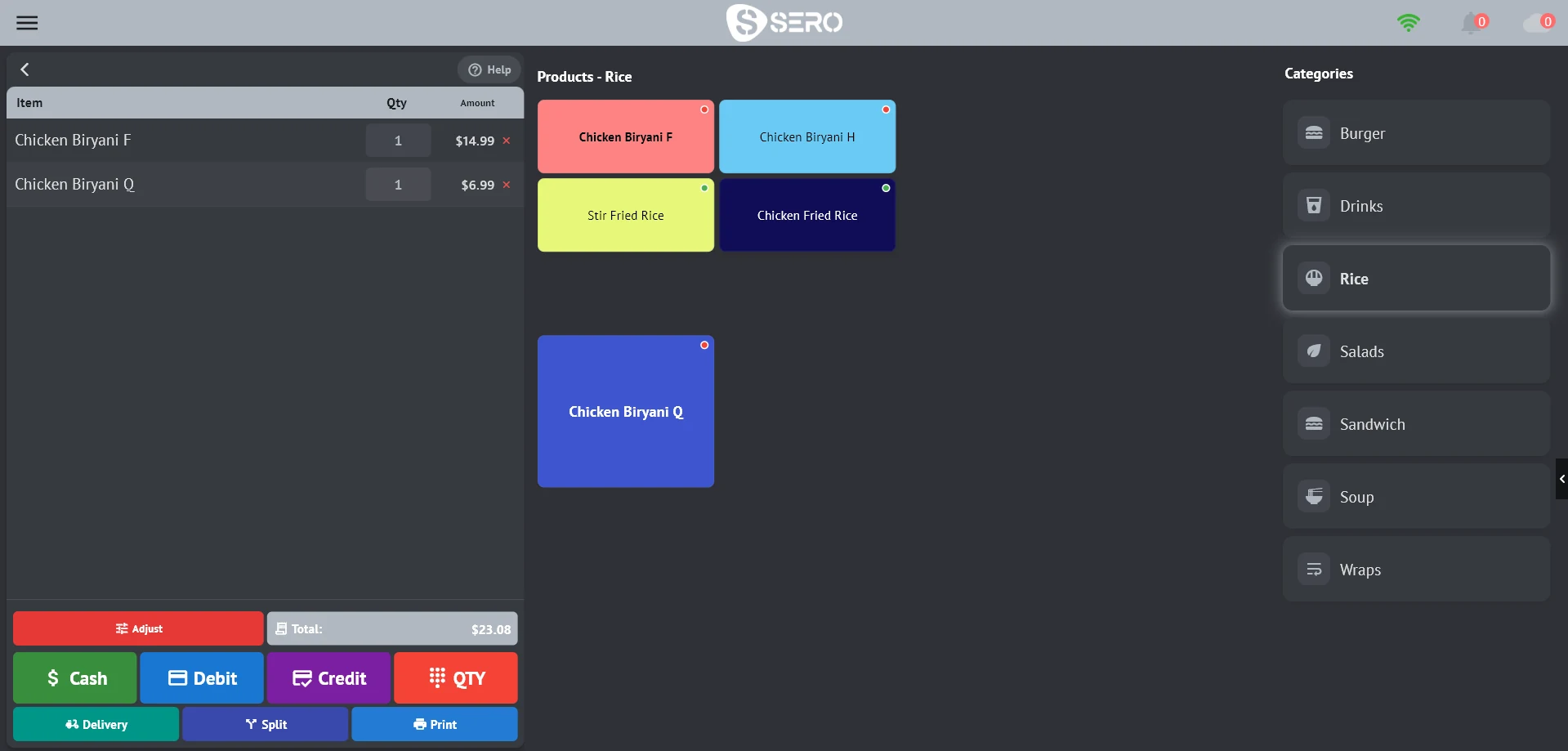

Order #1076 · 7:42 PM
────────────────
1 × Chicken Biryani F
1 × Chicken Biryani Q
Order #1077 · 7:44 PM
────────────────
1 × Manchow Soup
+ Mashed Potatoes
+ Bread
1 × Veg Burger
One order, start to finish. No re-keying.
The same order moves from the table to the kitchen, to the payment, to the end-of-day report and into your books.
Take the order
Tap a table on the floor plan or start a takeaway. Variations, modifiers and notes go on the line in a tap or two.
Fire the kitchen
Hold sends the ticket. Each item prints at its own station, or lands on the kitchen display with timers.
Split and pay
Even, percent, by item or custom. Cash, card on an integrated terminal, or both on one bill, with tips.
Close the day
Count the drawer, close the register and print the end-of-day Z report, with tips, refunds and payouts.
Books follow
Sales, stock and tax are already in the back office. Connect QuickBooks and the day posts itself.
Front of house, back of house. One system.
The till, the kitchen, the stockroom and the reports share one database, so what you sell is what you count.
Restaurant service
Floor plans with live table status, kitchen tickets routed by station, a kitchen display with timers, and QR ordering from the table.
ExploreRetail counter
Scan, sell by weight, print barcode labels and keep lots and expiry dates honest.
ExplorePayments
Global Payments, Moneris and Gravity terminals in the till, with a safety net against double charges.
ExploreInventory & purchasing
Real-time stock by location, low-stock alerts, purchases, returns, transfers and adjustments.
Explore31 reports
Daily sales, profit and loss, tax, stock, expiry, trending products and staff, by location and date.
ExploreCustomers & loyalty
Profiles, groups, price groups, reward points, credit limits, and a CRM for follow-ups and campaigns.
ExploreQuickBooks & accounting
QuickBooks Desktop and QuickBooks Online (Canada), or double-entry books inside SeroPOS.
ExploreThe internet drops. The line doesn't.
SeroPOS saves every sale on the till first and sends it when the connection comes back. Kitchen tickets keep printing, and an approved card charge is recorded before anything else, so nobody gets charged twice.
- Sales saved locally and uploaded automatically, never dropped
- Kitchen tickets print with no internet
- Duplicate-charge guard and a card-payment outbox
- Several tills on one local database in server/client mode
- A card terminal per till, so each register charges on its own device
- Online/offline indicator on every screen
Shape every screen around your menu.
Restaurant mode with photos and modifiers, or QSR Mode with a dense grid and pay buttons under the cart. Then colour and size any button, give each category its own columns, drag products into exact cells, put the cart on either side and make even the payment buttons bigger. A long-press on the till, no developer.
Restaurants, shops and everything in between.
Restaurant mode, QSR mode and Retail Mode are switches on each device, so a café with a retail shelf runs on one account.
Your accountant, your terminal, your phone line.
SeroBooks or QuickBooks for the books, integrated card terminals at the counter, and a voice AI that takes phone orders from your live menu.
Full bookkeepingQuickBooks DesktopSales, payments, purchases and expenses sent through the Web Connector.QuickBooks OnlineCustomers, items, invoices, payments and expenses pushed every few minutes.
CanadaUber EatsDirect integration: menu, store hours and orders in the till.
Rolling out in CanadaSeroBot voice AIAnswers the phone and takes orders from your live menu, integrated with Inputly.AI.WooCommerceProducts, categories and orders synced with your online store.Global PaymentsCloud, Terminal Plus on the T650P, and partial approvals handled.MonerisMoneris Go terminals driven from the till, refunds included.StripeCard payments at checkout on your QR menu and online store.
Your till keeps the books. With SeroBooks.
SeroBooks is our sister app for complete bookkeeping and accounting, fully integrated with SeroPOS. On one account, every sale, refund, payment, purchase and expense from the till posts to a double-entry ledger the moment it is saved. No exports, no sync, no re-keying.
Runs on what you have. No lock-in.
Native apps for iPad, iPhone, Android, Windows and Mac, standard ESC/POS printers with auto-detect, keyboard-style scanners, USB, serial and network scales, and a second screen for customers.
Two plans. No per-terminal tricks.
Monthly or yearly. Every plan starts with a 14-day free trial with no card.
Standard
Counters, cafés, food trucks and single shops.
$30 USD / month
or $299/year · 14-day free trial
- Full POS: QSR and classic layouts
- Unlimited products
- Kitchen tickets, tables and takeout
- Receipt printing and cash drawer
- Standard reports
- Kiosk mode
- 1 location, 3 users
Pro
Dining rooms, multi-till sites and businesses on QuickBooks.
$50 USD / month
or $499/year · 14-day free trial
- Everything in Standard
- Floor plan designer
- Server/client multi-till
- CRM, recipes and production
- Advanced back-office reports
- QuickBooks and WooCommerce
- 1 location, 5 users
14-day free trial, no credit card, no contracts.
No. SeroPOS runs on iPhone, iPad, Android phones and tablets, Windows PCs and Macs, so most businesses start on a device they already have. Add hardware as you need it: standard ESC/POS receipt and kitchen printers over network, USB or Bluetooth, a barcode scanner, a cash drawer that opens from the printer, and an integrated card terminal from Global Payments, Moneris or Gravity Payments.
Ready for Friday night? Set up this afternoon.
Start a 14-day free trial
Download the app, add demo data or your own menu, and take real orders. No card, no contract.
Download SeroPOSBook a demo
Walk through SeroPOS with our team, on your own menu and questions.
Pick a time