Payment processing is the part of a pizza shop that quietly decides how your evening ends: either your batch matches your sales report and you go home, or you’re squinting at paper slips at midnight trying to find a $12 discrepancy. This guide covers restaurant payment processing in Canada specifically — the rails, the terminals, and how to wire them to your POS so closing takes five minutes.
Key takeaways
- Integrated terminals eliminate keying errors and make end-of-night reconciliation nearly automatic.
- SeroPOS integrates with Global Payments and Moneris for card-present payments in Canada, plus Stripe for online orders.
- Interac debit, tap, credit, Apple Pay, and Google Pay all ride the same integrated rails.
- Delivery orders need a clear paid vs. due status so nothing goes out the door unaccounted for.
- Split bills — even, percentage, item-wise, or mixed cash-and-card — should take seconds, not arguments.
Integrated vs. standalone: why it matters more than the rate
Most pizzeria owners shop processors on rate alone. The rate matters, but the integration often costs or saves you more in practice.
With a standalone terminal, your staff read the total off the POS and type it into the terminal. Every transaction is an opportunity to enter $16.99 as $19.99 or $1.69. At close, you compare a stack of slips against your sales report by hand, and any mismatch is a hunt.
With an integrated terminal, the POS sends the exact amount to the terminal, the customer taps, and the result comes back and attaches to the order automatically. Wrong amounts become structurally impossible, tips are captured properly, and the batch total lines up with your daily sales report because they’re derived from the same transactions.
Setting up in SeroPOS
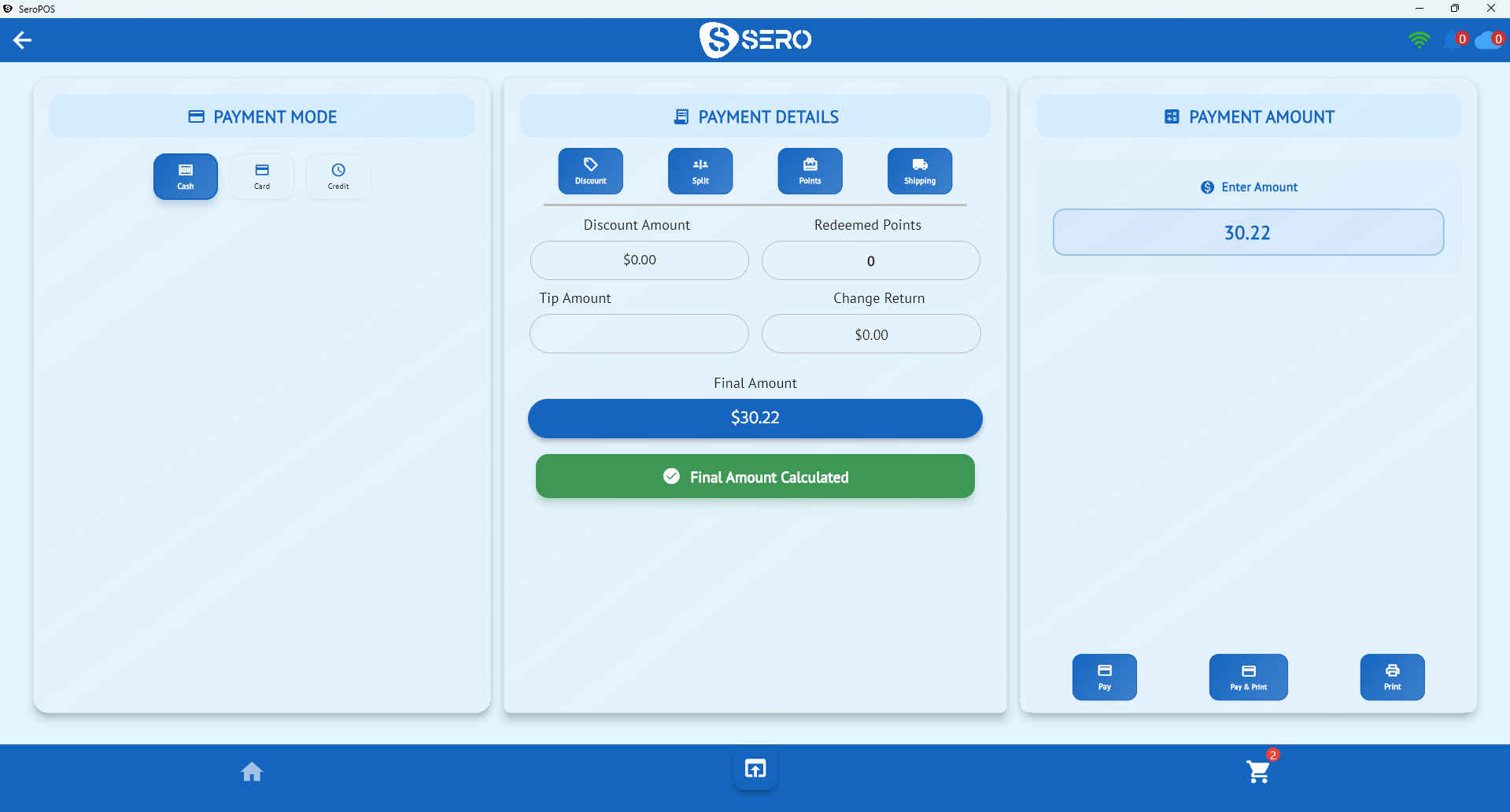
SeroPOS has built-in support for the Canadian terminal providers pizzerias actually use:
| Provider | Use case | Notes |
|---|---|---|
| Global Payments ⭐ | Card-present terminals in store and at the door | Our recommended processor — T650p terminal, integrated totals, batch management from the app, and we’ll beat your current rate |
| Moneris | Card-present terminals, widely used across Canada | Integrated totals and settlement |
| Gravity Payments | Card-present terminals | Integrated processing with transparent pricing |
| Stripe | Online and QR-code orders | PCI-compliant hosted checkout |
Terminal settings live in the app’s settings screen, where you enable your provider and pair the device.
Payments at the counter
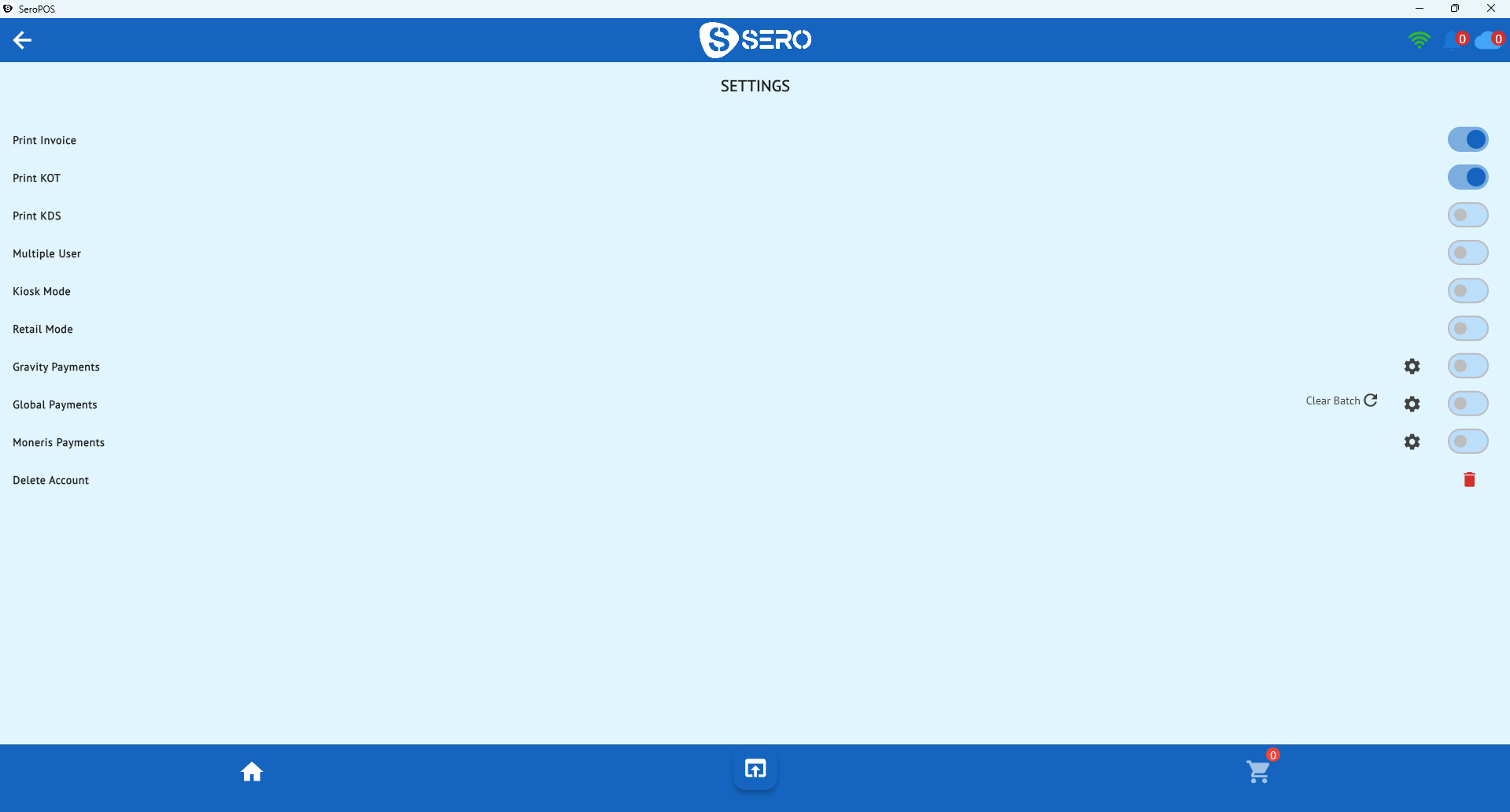
The counter flow should be boring, which is the point: ring the order, hit pay, the terminal wakes with the right amount, the customer taps, the receipt prints (or gets emailed), and the order closes. Along the way SeroPOS handles:
- Discounts applied before the total goes to the terminal
- Loyalty points redeemed as part of payment
- Tips, captured on the terminal and recorded against the sale
- Multiple tenders on one bill
Payments at the door
Delivery is where money most often goes missing. Two clean approaches:
- Pay online at checkout. Web and QR orders settle through Stripe before the driver leaves. The order arrives already marked paid, and the driver just hands over the food.
- Pay on delivery with a portable terminal. The order carries a due status; the driver collects by card or cash and the payment is recorded against the order.
Either way the important thing is that the order’s payment status is visible in the queue and in your reports — so an unpaid delivery is an obvious anomaly, not a mystery discovered a week later.
Splitting bills without the standoff
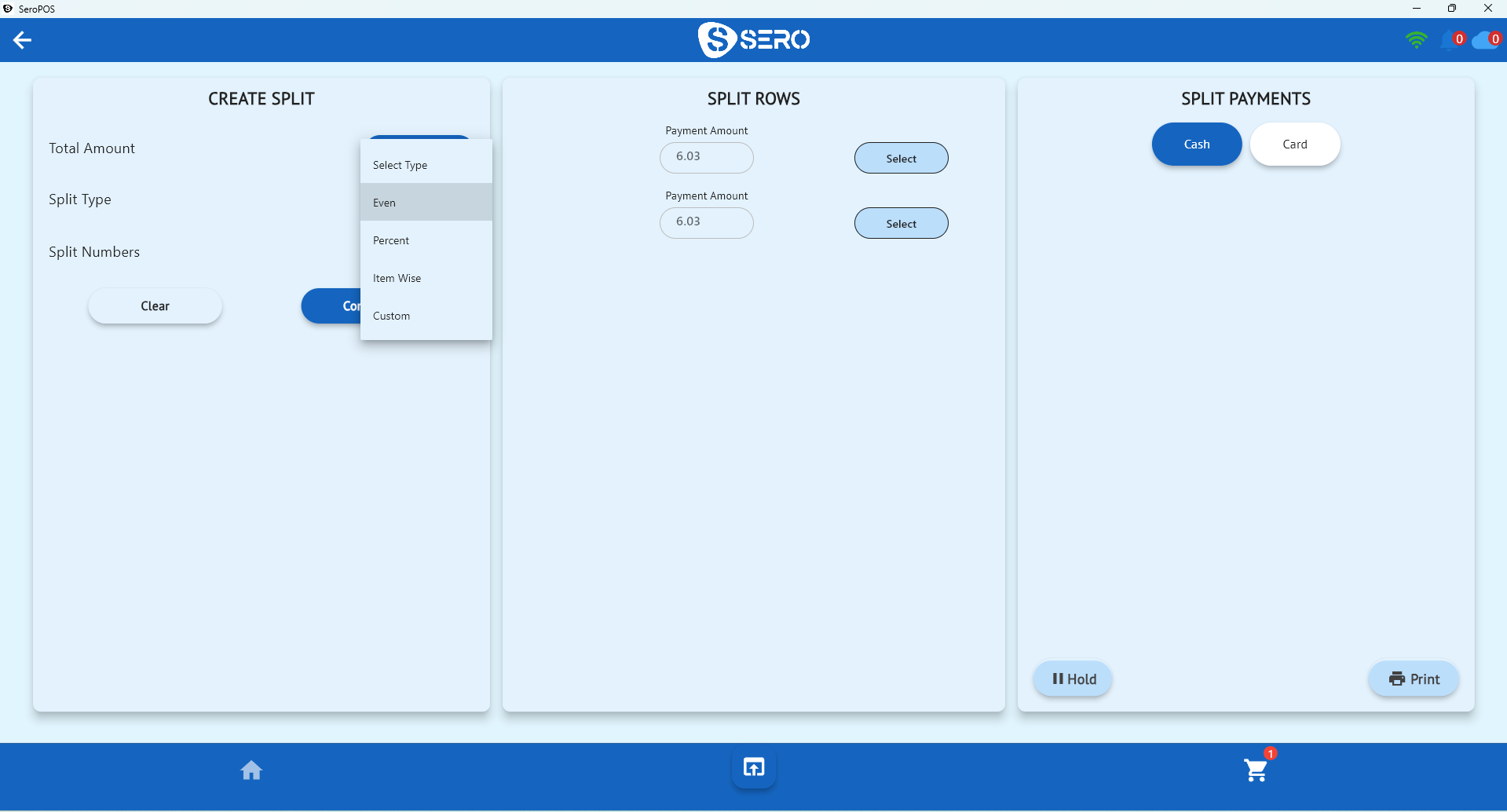
Group orders happen — three friends, one large pizza, one bill. SeroPOS supports splitting evenly, by percentage, by item, or by custom amounts, and lets different portions settle with different tenders.
Closing the night
A good closing routine takes minutes:
- Run your daily sales report — bills, net sales, tax, average per cheque, category breakdown.
- Settle the terminal batch. With integrated processing, the card total should match the card portion of your report.
- Count cash against the cash portion.
- If you’re on the Pro plan, your sales and taxes have already flowed to QuickBooks or Xero — no exports, no journal entries.
What to ask a processor before signing
- Is the terminal integrated with SeroPOS (Global Payments or Moneris), or standalone?
- What’s the all-in rate including interchange, assessment, and monthly fees?
- Is there a contract term or early termination fee?
- Who owns the hardware — and what happens if you leave?
- How fast is funding (next day matters when you’re paying suppliers weekly)?
- Is there support on a Friday night, or only weekdays?
The bigger picture
Payments are one leg of a pizza operation; the others are your menu setup, your ordering channels, and your reporting. If you’re evaluating the whole stack, start with the pizza POS buyer’s guide, then look at commission-free online ordering — the fastest way to improve your effective margin isn’t shaving 0.1% off your card rate, it’s moving orders off 25%-commission apps onto channels you own.
Beat your current processing rate — guaranteed
Software is the small number on your bill. Card processing is the big one — and it’s the number most POS platforms won’t let you negotiate, because Toast, Square and Clover all steer you to their own processing.
SeroPOS doesn’t. We integrate with Global Payments, and we will beat the processing rate you’re paying today.
Our rate-beat guarantee
Send us a recent merchant statement and we'll put a better rate in writing — or tell you honestly that you're already on a good deal. No obligation, and you don't have to switch to get the quote.
What that’s worth depends entirely on your card volume:
| Monthly card volume | Saving at 0.25% | Saving at 0.50% |
|---|---|---|
| $20,000 | ~$600/yr | ~$1,200/yr |
| $40,000 | ~$1,200/yr | ~$2,400/yr |
| $80,000 | ~$2,400/yr | ~$4,800/yr |
| $150,000 | ~$4,500/yr | ~$9,000/yr |
For most established restaurants and retailers that’s thousands of dollars a year — money leaving the business every month without ever appearing as a line you’d notice.
The terminal we recommend: Global Payments T650p
The T650p is the terminal we pair with SeroPOS for most merchants. It’s a Verifone-built Android smart terminal with a 5.5” HD touchscreen, a built-in receipt printer, Wi-Fi, 4G LTE and Bluetooth, a swappable battery for tableside and delivery use, a camera for QR and barcode scanning, and PCI 5.x certification.
Integrated with SeroPOS, the amount travels from the register to the terminal automatically — so nobody keys $63.99 as $6.39 during a rush, tips are captured correctly, and your end-of-night batch matches your sales report without manual reconciliation.
Talk to us about processing — send a statement and we’ll show you the real number for your business.
Download SeroPOS and try it free for 14 days — no credit card, no sales call.