Bars fail on POS speed more than any other venue type. A bartender with a queue three deep can’t hunt through menus, and a system that makes splitting a round awkward will cost you drinks every single night. Here’s what a bar POS system genuinely needs.
Key takeaways
- Tabs are the core workflow — open, add, split and close must be near-instant.
- Put your top 20 drinks on the first screen; everything else is search.
- Track pour cost weekly on high-value spirits — that gap is real money.
- QR ordering takes pressure off the bar in big rooms and patios.
- Split payments (even, %, item-wise, mixed tender) are a daily requirement, not an edge case.
Tabs: the workflow that defines a bar POS
Everything else is secondary to this loop:
- Open a tab — ideally against a name or card, in one action
- Add rounds fast — repeat-round should be a single tap, not a re-ring
- See open tabs at a glance — who’s running, how long, how much
- Split it — evenly, by item, or by custom amounts
- Close cleanly with tips captured
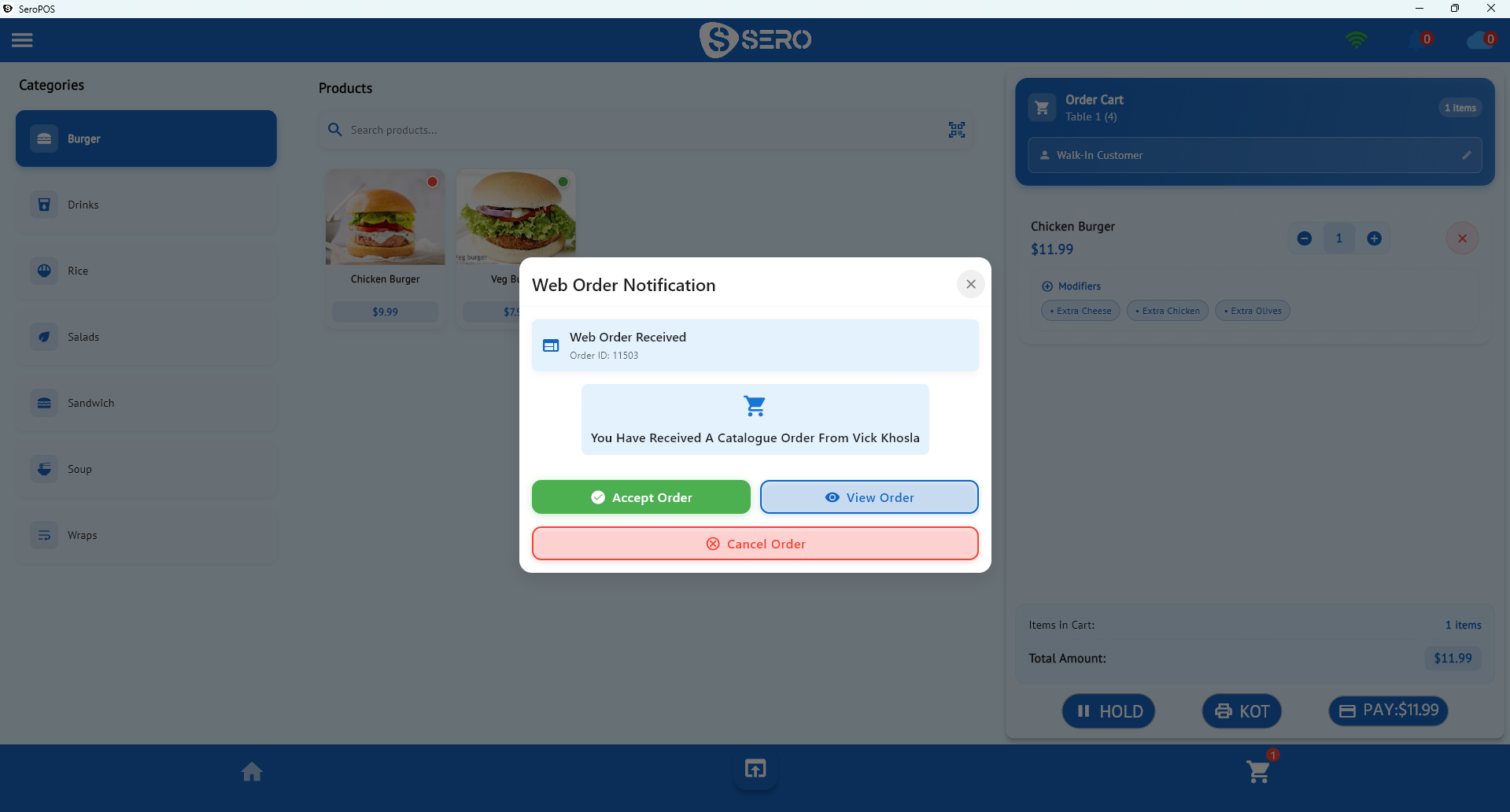
In SeroPOS, held and open orders are visible in one list with filters, so “who’s still open?” is a glance rather than a hunt.
Menu layout is a speed feature
Design the screen around the Pareto reality: 20 drinks are 80% of your sales.
- First screen: your top 20 by volume — house beers, well spirits, top cocktails
- Second layer: categories for the rest
- Search for the long tail
- Modifiers for doubles, mixers, garnishes, and “make it a double” upcharges
- Colour coding by category so hands find things without reading
Time a bartender ringing a round of four different drinks. Under fifteen seconds is good; over thirty will cost you on a Friday.
Splitting rounds without the standoff
Groups are the bar’s default customer, and the payment moment is where service goes wrong. You need:
- Even splits across 2–10 people
- Item-wise splits — “I only had the two IPAs”
- Percentage splits for uneven groups
- Mixed tender — some cash, some card, on one tab
- Tips captured on the terminal
All of these are standard in SeroPOS, including mixed cash-and-card on a single order (payments detail).
Pour cost: the money that leaks quietly
Bars have exceptional gross margins and exceptional shrinkage. The controls that matter:
| Practice | Catches |
|---|---|
| Weekly counts on top spirits & kegs | Over-pouring and shrinkage |
| Comp and void reporting by user | Unusual patterns worth a conversation |
| Per-user logins | Accountability by shift |
| Jiggers or measured pours | The root cause of most variance |
The diagnostic is simple: compare what the POS says you sold against what actually left the shelf. A persistent gap on one spirit, on one shift, tells you where to look. The general method is in inventory management.
Take pressure off the bar itself
For larger rooms, patios and beer gardens, the bar is a bottleneck you can partially bypass:
- QR ordering at tables — seated guests order rounds from their phone, no queue
- Kiosk mode on a tablet for simple orders during peak
- Handheld devices for staff taking orders on the floor
Every drink ordered without someone standing at the bar is capacity you didn’t have to staff for.
Numbers to watch
- Sales by hour — where your night actually is, and whether staffing matches
- Average per cheque — are upsells happening?
- Top products — what deserves the first screen
- Void/comp rate by user — the classic control metric
- Pour cost by key spirit
Your daily sales report surfaces most of these each night.
The setup
| Item | Cost |
|---|---|
| Tablet or PC (owned) | $0 |
| Receipt printer | $150–$400 |
| Cash drawer | $80–$200 |
| Payment terminal | From your processor |
| SeroPOS | $30–$50/month |
Runs on Windows, Mac, iOS or Android — and with server/client mode, a second and third till share one database on your local network with no per-terminal fee.
Download SeroPOS and test it against a real Friday — 14 days free, no credit card.